

Environment
Vega Discover Libraries
Procedure
We’re excited to announce that the Account Portal with Account Linking will roll out globally on March 3–4, 2026 (timing varies by region).
This update introduces a redesigned My Bookshelf experience, making it easier and more intuitive for patrons to manage checkouts, holds, renewals, and saved materials—all in one place.
What you need to know:
- No action required: My Bookshelf will automatically transition to Account Portal after the release.
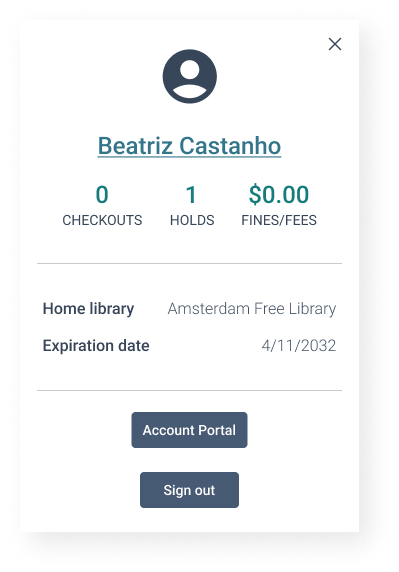
- Patrons click the account icon at the top of the page to manage their account.
- Flexible terminology: “Account Portal” is fully translatable, so you can update the label at any time to fit your preferred terminology.
Training Materials
We’ve packaged training materials into multiple formats. You can edit and customize as needed to support your training needs for the upcoming release.
- – Perfect for printing and keeping at service desks as a quick reference.
-
Account Portal FAQs, updated 12/19/25
-
Account Linking FAQs, updated 12/19/25
-
- Quick Reference Guides – Includes detailed steps and screenshots for visual learners.
- Slide Deck – A slide presentation you can use during staff meetings.
-
Staff Presentation Slides, updated 12/19/25
-
- Video Demos – For those who prefer a walkthrough.
To avoid confusion, please note:
Patron and admin documentation in Vega Discover will be updated after Account Portal and Account Linking are released.
What is Account Portal?
The new Account Portal redesigns and elevates the My Bookshelf experience, making it easier and more intuitive for patrons to navigate their checkouts, holds, renewals, and saved materials. With a streamlined interface and centralized dashboard, users will find it easier than ever to stay in full control of their library activity. The core functions of My Bookshelf remain, but they are now organized in the Account Portal with clearer navigation and additional options.
This upcoming release marks a major step forward in simplifying how users access and interact with their library information, whether they’re managing their own activity or overseeing linked accounts within their household.


What is Account Linking?
Patrons can now easily link multiple library accounts, making it simple for parents, guardians, and caregivers to switch between child and adult profiles. With dedicated 1-way and 2-way permission levels, households and guardians can manage checkouts and holds without juggling multiple logins.
